
The demand for handyman services has skyrocketed as users increasingly depend on mobile apps for home repairs, maintenance, and quick fixes. If you’re eager to tap into this thriving market by developing an on-demand handyman app, now is the perfect time to act. From understanding the handyman app business model to designing a user-friendly interface and choosing the right technology stack, creating a successful app requires strategic planning. This guide will take you step-by-step through the process, helping you design a handyman app for iOS and Android platforms, complete with advanced features and a competitive edge.
1. Understanding the Market for Handyman Apps
Before developing a handyman app, it’s essential to grasp the market trends, target audience, and competitive landscape to position your app for success.
Market Overview
The global on-demand handyman services market is witnessing exponential growth as more users turn to mobile apps for home repairs, installations, and maintenance tasks. Factors such as convenience, quick access to reliable services, and real-time tracking drive this demand. Developing an on-demand handyman app ensures you tap into this growing market and cater to users’ increasing expectations.
Target Audience
Your handyman app’s target audience typically includes homeowners, tenants, landlords, and small businesses. They rely on handyman apps for tasks like plumbing, electrical work, carpentry, painting, and appliance repair. Understanding their preferences and pain points is crucial for designing an app that meets their needs.
Competitor Analysis
Analyze successful handyman apps such as TaskRabbit, Thumbtack, and UrbanClap to identify their strengths and potential gaps. Examine their business models, user interfaces, key features like secure payments and service tracking, and customer feedback. By studying competitors, you can define a unique value proposition for your handyman app and stand out in the competitive market.
Understanding these elements will help you lay a strong foundation for creating a handyman app that meets user needs and drives success.
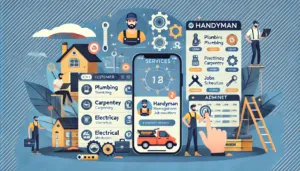
2. Define the Core Features of Your Handyman App
To create a successful handyman app, it’s essential to integrate features that address the needs of both customers and service providers. A well-designed handyman app ensures seamless service delivery and fosters user satisfaction. Here’s a detailed breakdown of the core features to include:
Key Features for Customers
- Service Selection: Provide a comprehensive list of services, such as plumbing, electrical work, carpentry, painting, and appliance repairs, allowing users to find the right solution quickly.
- Scheduling: Enable customers to book handyman services at their preferred date and time for added convenience.
- Real-Time Tracking: Incorporate GPS tracking so users can monitor the handyman’s location and estimated arrival time.
- Secure Payments: Support multiple payment methods, including credit/debit cards, e-wallets, and cash, ensuring a secure and seamless transaction process.
- Ratings & Reviews: Allow customers to rate and review service providers based on their experience, promoting trust and accountability.
Key Features for Handymen
- Profile Creation: Let handymen create detailed profiles showcasing their expertise, certifications, and work history.
- Job Requests: Send real-time notifications for new service requests, making it easier for handymen to accept or decline jobs.
- In-App Chat: Provide a communication channel for handymen and customers to discuss job details.
- Earnings Dashboard: Offer a clear summary of earnings, completed jobs, and pending payments.
Admin Panel Features
- User Management: Enable the admin to monitor and manage customers and handymen seamlessly.
- Analytics: Provide insights into app performance, user behavior, and service trends for informed decision-making.
- Dispute Resolution: Handle complaints, refunds, and other customer issues effectively.
These features ensure your handyman app delivers a user-friendly experience while fostering trust and efficiency for service providers.
3. Choose the Right Business Model
The foundation of a successful handyman app lies in selecting the right business model. Your chosen model will determine how your app generates revenue while providing value to both users and service providers. Here are some of the most effective business models for on-demand handyman apps:
1. Commission-Based Model
This is one of the most popular business models for handyman apps. In this model, you earn a percentage or fixed fee for every service booked through the app. Handymen benefit from gaining visibility and new customers, while you profit from the transactions. This model aligns well with apps like TaskRabbit and Thumbtack, offering scalability as the number of bookings increases.
2. Subscription-Based Model
Offer premium memberships to customers or service providers for exclusive benefits, such as faster response times, priority booking, or access to premium features. For handymen, subscriptions can include enhanced profile visibility, detailed analytics, or marketing support. This model ensures a steady revenue stream.
3. Freemium Model
Provide basic services for free to attract users, while advanced features, such as priority bookings, premium customer support, or exclusive discounts, are offered at a cost. This model is ideal for driving app downloads and encouraging users to upgrade to paid plans.
4. Advertisement Model
Generate revenue by allowing third-party businesses to advertise on your app. Ads can be strategically placed in non-intrusive areas to avoid disrupting user experience. This model works well if you aim to keep the app free for customers.
Selecting the right business model depends on your target audience, market strategy, and long-term goals. A hybrid approach, combining two or more models, can also maximize profitability and cater to diverse user needs.
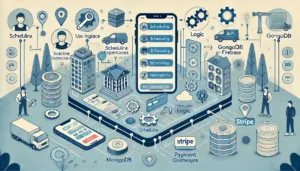
4. Designing the App Architecture for a Handyman App
A well-thought-out app design is critical for attracting and retaining users. When developing a handyman app, the architecture should focus on creating an intuitive and seamless experience for both customers and service providers. Here’s how to design an effective app architecture:
1. Intuitive User Interface (UI)
An appealing and easy-to-navigate interface is essential for engaging users. Use clean layouts, clear icons, and concise labels to ensure a hassle-free experience. The service categories, booking options, and payment gateways should be visually distinct and easily accessible. Focus on consistent design elements that guide users effortlessly through the app.
2. Seamless User Experience (UX)
The user experience determines how efficiently customers can book handyman services or how handymen accept job requests. Simplify critical processes like registration, booking, and payments by minimizing unnecessary steps. Incorporate features like auto-filled forms, one-click service requests, and push notifications for updates. Smooth navigation between screens ensures users can complete their tasks with minimal effort.
3. Responsive Design for iOS and Android
Optimize your handyman app for cross-platform compatibility to reach a wider audience. Using responsive design ensures your app performs flawlessly on iOS and Android devices, regardless of screen size. Leverage frameworks like Flutter or React Native to streamline cross-platform development while maintaining consistent quality and performance.
4. Accessibility and Inclusivity
Consider accessibility features, such as larger fonts, voice commands, and multilingual options, to cater to diverse user groups. Ensuring inclusivity improves user satisfaction and expands your customer base.
5. Scalable and Flexible Architecture
Design the app architecture to accommodate future updates and feature additions. As your user base grows, the app should handle increased traffic without compromising performance.
By prioritizing user-friendly design, you create a handyman app that stands out and keeps users coming back.
5. Selecting the Right Technology Stack for Your Handyman App
Choosing the right technology stack is a critical step in creating a successful handyman app. Your selection will influence the app’s performance, scalability, development speed, and overall cost. A well-structured stack ensures a seamless user experience while supporting future updates. Here’s a breakdown of an ideal technology stack for your handyman app:
1. Frontend Development
For a handyman app that works seamlessly across both iOS and Android platforms, use cross-platform frameworks like React Native or Flutter. These tools allow developers to build a single codebase for multiple platforms, ensuring faster development and a consistent user interface.
2. Backend Development
A robust backend is crucial for managing user data, service requests, and real-time notifications. Frameworks like Node.js or Django are excellent options.
- Node.js: Offers high performance and scalability, ideal for handling simultaneous user requests.
- Django: A Python-based framework known for its security and fast development.
3. Database
Efficient data storage and retrieval are vital for smooth app operations. Use:
- MongoDB: A NoSQL database that handles large amounts of unstructured data efficiently.
- Firebase: Provides real-time data synchronization, making it ideal for apps requiring live updates like booking statuses.
4. APIs
Incorporate essential APIs to enhance functionality:
- Google Maps API: For real-time tracking of handyman locations and calculating travel distances.
- Payment Gateways: Integrate secure gateways like Stripe or PayPal to facilitate multiple payment options.
5. Cloud Hosting and Storage
Use cloud platforms like AWS or Google Cloud for reliable hosting and scalable storage solutions.
By selecting the right technology stack, you ensure that your handyman app is fast, scalable, and equipped to deliver an exceptional user experience.
7. Collaborating with Skilled Developers for Your Handyman App
The success of your handyman app hinges on working with a skilled development team that can bring your vision to life. Whether you’re developing a basic on-demand handyman app or a feature-rich platform, choosing the right team ensures seamless execution. Here are the primary options for collaboration:
1. Hiring Freelancers
Freelancers can be a cost-effective solution for small-scale handyman app development projects. They are ideal for tasks such as frontend design, backend programming, or specific integrations like payment gateways. However, managing a team of freelancers can be challenging due to potential communication gaps and lack of cohesive project management. Freelancers are best suited for straightforward projects with minimal dependencies.
2. Partnering with Development Agencies
Development agencies are a reliable choice for building a robust handyman app with advanced features. Agencies provide end-to-end services, including UI/UX design, coding, testing, and post-launch support. With established workflows and experienced teams, they ensure timely delivery and high-quality output. This option is particularly beneficial if you’re looking to launch a scalable app for both iOS and Android platforms.
3. Building an In-House Team
For long-term handyman app development and future updates, an in-house team is the best option. You’ll have complete control over the development process, direct communication, and dedicated resources. However, this approach requires significant investment in hiring, training, and maintaining the team.
Choosing the Right Team
Evaluate potential developers or agencies based on their experience with on-demand apps, technical expertise, portfolio, and client reviews. Clearly define your requirements, timelines, and budget to ensure alignment.
Collaborating with the right developers ensures your handyman app is not only functional but also user-friendly, scalable, and prepared for long-term success.
8. Integrating Advanced Features into Your Handyman App
After successfully launching your Minimum Viable Product (MVP) and validating its core functionalities, the next step is to integrate advanced features. These enhancements can significantly improve user engagement, retention, and satisfaction, helping your handyman app stand out in a competitive market. Here are some advanced features to consider:
1. AI-Powered Recommendations
Leverage artificial intelligence to provide personalized service suggestions based on user preferences, past bookings, and location. AI can analyze user behavior to predict their needs, making the booking process faster and more intuitive. For example, if a user frequently books plumbing services, the app can suggest similar services or preventive maintenance options.
2. Push Notifications
Keep users informed with timely push notifications. Send updates about service requests, reminders for upcoming bookings, and promotional offers. Notifications can also alert handymen about new job opportunities, ensuring they stay engaged with the platform.
3. Referral Programs
Encourage users to invite friends and family by implementing a referral program. Offer incentives such as discounts or credits for every successful referral. This not only increases user acquisition but also fosters a sense of community within the app.
4. Loyalty Rewards
Reward frequent users with loyalty points or exclusive discounts. For example, after completing a certain number of bookings, customers can earn rewards that can be redeemed for discounts on future services. This feature helps build long-term customer relationships and boosts repeat business.
5. In-App Ratings and Analytics
For enhanced transparency, integrate real-time ratings for both handymen and customers. Additionally, use analytics to identify trends and improve user experience.
Adding these advanced features ensures your on-demand handyman app delivers a superior experience, increasing its appeal to both customers and service providers.
9. Testing Your Handyman App Thoroughly
Before launching your handyman app, rigorous testing is essential to ensure it performs flawlessly and delivers a seamless experience for users. A bug-free and reliable app boosts user satisfaction and builds trust in your platform. Here’s how to conduct comprehensive testing:
1. Functional Testing
Functional testing ensures all features of your on-demand handyman app work as intended. Test key functionalities such as user registration, service booking, payment integration, and push notifications. For handymen, verify features like job requests, scheduling, and profile updates. Each component should perform smoothly under various scenarios.
2. Usability Testing
Evaluate the app’s user-friendliness to guarantee a positive experience for both customers and service providers. Ensure the interface is intuitive, navigation is straightforward, and all processes—such as booking a service or communicating with handymen—are simple and efficient. Gather feedback from real users to identify areas for improvement.
3. Performance Testing
Your handyman app should handle high traffic without compromising speed or reliability. Test the app under peak load conditions to ensure it remains responsive during heavy usage. Performance testing also evaluates how the app behaves on different devices and operating systems, such as iOS and Android.
4. Security Testing
User data security is paramount in any app. Conduct security testing to protect sensitive information such as payment details and personal data. Use robust encryption protocols and secure payment gateways to safeguard transactions and comply with data protection regulations.
5. Compatibility Testing
Test your handyman app on various devices, screen sizes, and platforms to ensure a consistent user experience across all conditions.
By thoroughly testing your app, you’ll identify and resolve potential issues before launch, ensuring your handyman app delivers a reliable and high-quality experience to users.
10. Launching and Marketing Your Handyman App
After thorough testing and final optimizations, it’s time to launch your on-demand handyman app. A successful launch paired with an effective marketing strategy ensures your app reaches its target audience and gains traction quickly. Follow these steps to make your launch impactful:
1. Publish Your App
Prepare for app store submission by meeting the guidelines of both the Google Play Store and Apple App Store. Optimize your app listing with an engaging title, description, and relevant keywords like “handyman app” or “on-demand handyman services.” Add high-quality screenshots and a demo video to showcase the app’s features and benefits.
2. Craft a Strategic Marketing Plan
- Social Media Campaigns: Leverage platforms like Facebook, Instagram, and Twitter to promote your app. Share visually appealing posts, reels, and stories highlighting how the app simplifies handyman services.
- Email Campaigns: Use email marketing to reach potential customers and service providers. Include exclusive offers for early adopters to encourage downloads.
- Influencer Collaborations: Partner with influencers in the home improvement or lifestyle niche to expand your app’s visibility and credibility.
3. Press Release and Media Coverage
Draft a compelling press release announcing the launch of your handyman app. Highlight its key features, target audience, and unique selling points. Distribute the press release to tech blogs, local media, and industry-specific publications to generate buzz.
4. Incentivize Early Users
Launch referral programs and exclusive discounts to attract early users. Offer incentives like free credits for new registrations or discounted services for the first bookings.
5. Monitor and Respond
Engage with users post-launch by addressing their feedback and resolving any issues promptly.
An impactful launch and targeted marketing efforts will ensure your handyman app gains momentum and builds a loyal user base.
11. Gathering Feedback and Improving Your Handyman App
Launching your handyman app is just the beginning. To ensure long-term success, you must continuously improve the app based on user feedback and market demands. Gathering insights from customers and service providers helps identify pain points, refine features, and introduce new functionalities that enhance user experience.
1. Monitor User Feedback
Encourage users to share their thoughts through in-app feedback forms, ratings, and reviews. Analyze customer feedback to pinpoint common issues such as usability challenges, feature requests, or technical glitches. Service providers can also provide valuable insights into operational improvements, such as better scheduling tools or enhanced communication features.
2. Address Pain Points with Regular Updates
Use feedback data to prioritize bug fixes and refine existing features. For instance, if users report difficulties with the payment process or GPS tracking, address these concerns in the next update. Regular updates demonstrate your commitment to improving the app, boosting user trust and satisfaction.
3. Introduce Feature Enhancements
Enhance user engagement by adding advanced functionalities based on feedback and industry trends. For example:
- Introduce AI-powered recommendations for personalized service suggestions.
- Add multi-language support to expand accessibility.
- Implement advanced filters to make service searches more intuitive.
4. Track App Performance
Leverage analytics tools to monitor app performance metrics such as crash rates, loading times, and user retention. Insights from these metrics help you make informed decisions for future updates.
5. Engage with Users
Proactively communicate with users about upcoming updates or new features. This builds trust and fosters loyalty.
By gathering feedback and improving consistently, your on-demand handyman app will evolve into a highly reliable, user-centric platform that stands out in the competitive market.
12. Ensuring Compliance with Legal Regulations for Your Handyman App
To build trust and credibility, your handyman app must comply with legal regulations. Adhering to these standards not only safeguards your business but also ensures a secure and reliable platform for both users and service providers. Here’s how to ensure your app remains compliant:
1. Comply with Data Protection Laws
Protecting user data is critical for any on-demand handyman app. Ensure your app adheres to data privacy laws such as the General Data Protection Regulation (GDPR) for users in Europe, California Consumer Privacy Act (CCPA) for users in California, or other regional regulations. Implement secure data encryption, provide transparency about data usage, and offer users control over their personal information.
2. Draft Clear Terms of Service
Create detailed terms of service and privacy policy documents to establish guidelines for app usage.
- Clearly outline the rights and responsibilities of customers, service providers, and the platform.
- Define cancellation policies, payment terms, and conditions for dispute resolution.
- Make these documents easily accessible within the app to avoid misunderstandings or legal disputes.
3. Implement Insurance Policies
Offer protection for damages or accidents that may occur during a service. Partner with insurance providers to cover liabilities for both customers and handymen. This additional layer of security builds trust and encourages users to rely on your app.
4. Obtain Necessary Licenses
Verify that all service providers meet local licensing requirements and certifications for their trades. This ensures compliance and elevates the professionalism of your platform.
5. Maintain Regular Audits
Conduct regular audits to ensure ongoing compliance with evolving legal standards.
By prioritizing legal compliance, your handyman app fosters user confidence, minimizes risk, and operates within a secure, professional framework.
13. Building a Strong Support System for Your Handyman App
Providing exceptional customer support is vital for the success of your handyman app. A strong support system not only ensures user satisfaction but also fosters trust and loyalty, encouraging customers and service providers to continue using your platform. Here’s how to establish an effective support system:
1. Offer 24/7 Support
Your on-demand handyman app should feature round-the-clock customer support to address user concerns promptly. Provide multiple support channels, such as:
- In-App Chat Support: Enable real-time assistance for common queries.
- Phone Support: Allow users to connect directly with support agents for more complex issues.
- Email Support: Offer an option for non-urgent inquiries or detailed concerns.
Timely responses create a positive user experience and build confidence in your platform.
2. Include a Detailed FAQ Section
A well-organized FAQ section can resolve common questions without the need for direct interaction. Cover topics like:
- How to book a handyman service.
- Payment methods and refund policies.
- Resolving disputes between customers and service providers.
Ensure the FAQ is easily accessible and regularly updated based on user feedback.
3. Implement Dispute Resolution Mechanisms
Inevitably, some users will encounter issues such as missed appointments or unsatisfactory service. Provide a simple dispute resolution process to address these concerns. Features like in-app ticketing systems or dedicated support teams can help resolve complaints fairly and efficiently.
4. Use Feedback to Improve Support
Regularly analyze user feedback to identify pain points and refine your support services. Introduce tools like chatbots to handle routine queries and free up agents for complex problems.
By building a reliable and accessible support system, your handyman app can deliver superior service, enhance user satisfaction, and foster long-term loyalty.
14. Analyzing and Scaling Your Handyman App
To ensure the continued growth of your on-demand handyman app, it’s essential to analyze performance metrics and use the insights to scale strategically. Tracking key indicators allows you to refine your app’s offerings, improve user satisfaction, and identify opportunities for expansion.
1. Track Key Metrics
Use advanced analytics tools to monitor these vital metrics:
- User Retention Rate: Measure the percentage of users who return to your handyman app after their first interaction. A high retention rate indicates user satisfaction and loyalty.
- Average Revenue Per User (ARPU): Calculate earnings per user to understand how effectively your app generates revenue. This can help optimize pricing strategies and promotional offers.
- Churn Rate: Identify the percentage of users who stop using your app over a specific period. Analyzing churn helps pinpoint areas for improvement, such as user experience or feature upgrades.
2. Use Insights to Improve
Based on analytics, enhance your handyman app’s performance by addressing pain points. For instance:
- If users frequently abandon the booking process, simplify navigation and improve design.
- If handymen experience delays in job notifications, optimize backend performance.
3. Expand to New Regions
Once your app gains a stable user base, consider launching in new markets. Research regional needs, pricing models, and local regulations to ensure a smooth rollout.
4. Introduce Additional Services
Scale your app by adding services beyond the initial offerings. For example, expand into cleaning services, landscaping, or pest control to attract a wider audience.
5. Optimize Marketing Strategies
Leverage insights to fine-tune marketing campaigns, targeting demographics or regions with high user acquisition potential.
By consistently analyzing and scaling your handyman app, you can drive growth, enhance user satisfaction, and maintain a competitive edge in the market.
15. Budget and Timeline Considerations for Developing a Handyman App
Creating a handyman app requires careful planning of financial and time resources. The total cost and development timeline depend on factors such as app complexity, features, platform compatibility, and the expertise of the development team. Here’s a detailed breakdown to help you budget effectively and set realistic expectations.
1. Estimated Development Costs
- Basic Handyman App:
A simple app with core features like user registration, service listings, booking, and payment integration typically costs between $20,000 and $40,000. This is ideal for a Minimum Viable Product (MVP). - Advanced Handyman App:
An app with advanced features such as AI-powered recommendations, real-time tracking, loyalty programs, and multi-language support can range from $50,000 to $100,000. The higher cost reflects the additional development hours and technology required.
2. Factors Affecting Costs
- Platform Choice: Developing for both iOS and Android increases costs compared to a single platform. Using frameworks like Flutter or React Native can reduce expenses with cross-platform compatibility.
- Customization: Highly customized designs, advanced functionalities, or integration with third-party APIs like Google Maps and Stripe may increase costs.
- Development Team: Costs vary based on whether you hire freelancers, a development agency, or build an in-house team.
3. Development Timeline
The timeline for a handyman app depends on the app’s complexity:
- Basic App: Approximately 4–6 months for development and testing.
- Advanced App: Complex projects with multiple features may take 6–9 months or more.
4. Allocating for Post-Launch Costs
Budget for post-launch expenses such as marketing, regular updates, and customer support. This ensures your app remains competitive and user-focused.
By planning your budget and timeline effectively, you can streamline the development process and ensure a successful launch of your handyman app.

FAQs
1. How long does it take to develop a handyman app?
The development timeline typically ranges from 4 to 9 months, depending on the app’s features and complexity.
2. What is the cost of developing a handyman app?
The cost can vary between $20,000 and $100,000 based on the app’s design, features, and development team.
3. What platforms should my handyman app support?
Your app should ideally support both iOS and Android platforms to reach a wider audience.
4. How do I attract users to my app?
Focus on digital marketing strategies, referral programs, and promotional offers to attract users.
5. Can I monetize my app without charging users directly?
Yes, you can use ads, partnerships, and premium features for monetization.
6. How do I ensure my app’s success?
Regular updates, excellent customer service, and data-driven improvements are key to long-term success.
Creating a handyman app requires careful planning, a user-centric approach, and consistent effort. By following this guide, you can develop an app that meets the needs of both customers and service providers, setting the stage for a thriving business.
